

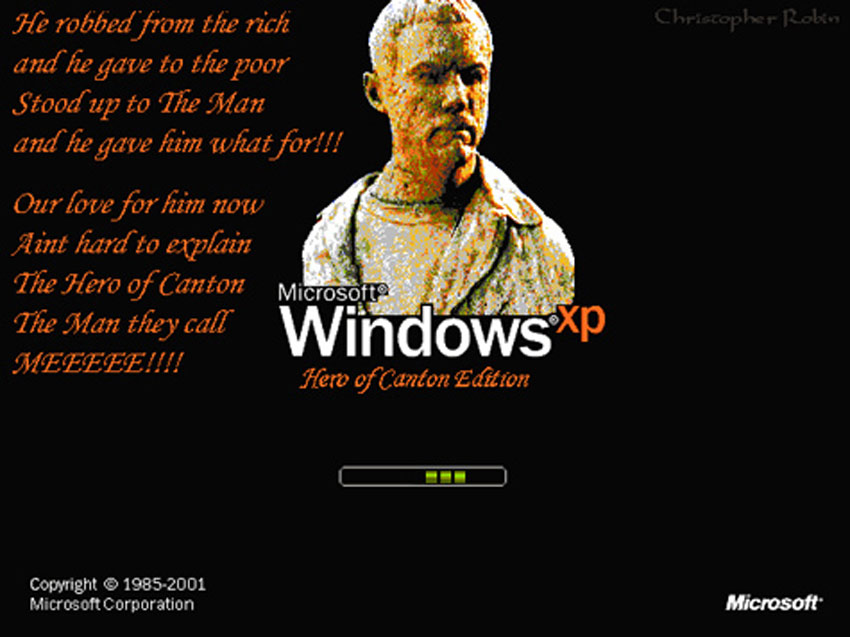
"Hero Edition" is now ready to download!
Sunday, August 29, 2004
Hero Edition is now available for download at my site here--->
http://www.MeChristopherRobin.com
Click the Firefly button then click the image of your choice to download.
Blue Sun will be ready as soon as I get some more time this week.
I also made a few aesthetic enhancements to the other Boot Screens as well.
Nothing major but feel free to grab a newer copy of Firefly or Tight Pants Editions if you like.
I've got a new "Serenity Edition" in the works now too so stay tuned.
It is a major improvement over the original I think.
Questions? email me @ MeChristopherRobin@yahoo.com or click the mailbox on my webpage.
CATEGORY: GRAPHICS TIMES READ: 3317 RATING: 8.0 (G) SERIES: FIREFLY

Enjoy people

and let me hear what you think.


Out of 317+ people who have downloaded these boot screens 3 have had this same problem as you. One is Shakespeare whose happy post is right above yours another is Britchick both of whom i have worked with through email and are running these Boot Screens (and their computers) just fine now. The third has not contacted me yet.
Sadly I cannot account for all the possible variables in all the different Windows machines out there.
I did state this multiple times in my instructions. Did you read the Directions included with the file? Did you check your version of Windows before installing?
My email is here ---> MeChristopherRobin@yahoo.com
Let me know what happened and i will do my best to help you as i did the others.
http://www.fireflyfans.net/bluesun.aspx?bid=1788
and here--->
http://www.fireflyfans.net/bluesun.aspx?bid=1761
Please read the whole page to fully grasp what happened and what was done to correct it.
http://www.fireflyfans.net/bluesun.aspx?bid=1873
A couple of us have been working with him to iron out the bugs that might cause system problems.
Basically, when most people think of WindowsXP, they think of it as one program. In truth it is several programs with very slight differences. I have an "education discount" copy of Windows. BritChick has an "international version" of Windows. Both are slightly different than a standard "retail" version.
To that dilemma you have to add the fact that Microsoft continually issues various pathes to the Windows software. Some people religously download these patches, some people don't even seem to know they exist. This further splinters Windows into hundreds of slightly different versions.
Now, that said, what CR has put together here should work on 999 out of 1000 computers. We have figured out that it has problems if you have the "international" or "student discount" version of WindowsXP, but that is not to say some other random variable between the different versions and different patches can't cause a problem.
CR has been great about helping people with this, way beyond great if you ask me. If you make this change and it locks your machine up, simple rebooting with your XP CD and using the "Microsoft Recovery Console" will get you back withing about 5 minutes.
If you don't know how to use the recovery console, you should really reconsider making changes like this.

Sorry to hear you had trouble, I appreciate the frustration.
I was one of the people who also had a problem when I used CR's initial file. We realised it was probably something to do with us having a non-US version of WIndows-XP, so I emailed my original kernel file to CR for him to look at.
I now have a modified version, and it works perfectly. I don't think we've worked ut a test to see what flavour (or flavor) of XP one has. <bold>CR, any ideas on how we can do this?? Am happy to carry out any tests that might help us track this down</bold>
<bold>
CR</bold>, I haven't looked at the instructions recently.. if it's not already there, would it be worthwhile including instructions on what do do if your PC does not like the kernel? i.e. step-by-step instructis on how to load Windows in safe mode but still get the DOs prompt.
The only thing people DO need to know to use this is their administrator password.
Post Your Comments
You must log in to post comments.