

Altrans Hover Train - Big Pictures - New 3d Model
POSTED BY: Treybor
UPDATED: Wednesday, May 5, 2010 23:46
VIEWED: 32671
PAGE 1 of 2

Well fellow browncoats...
I wanted to share my latest Work in Progress. I always wanted to rebuild the Altrans hover train to Paradiso from the "Train Job" episode. I was able to get some nice reference pics of the original by Lee Stringer... From Lee stringer himself.
http://www.flickr.com/photos/lee_stringer/sets/72157623219903652
There are nine different rail cars, the engine and the start of some tracks.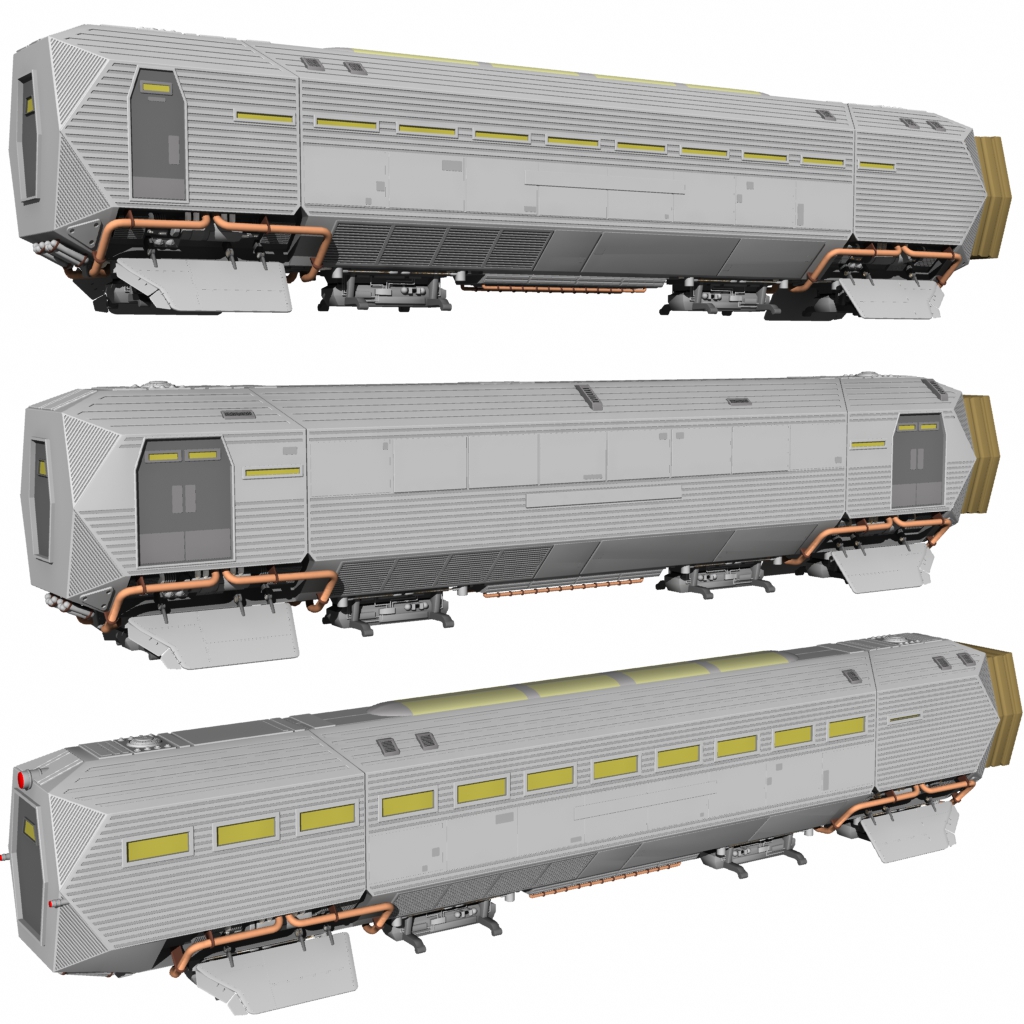
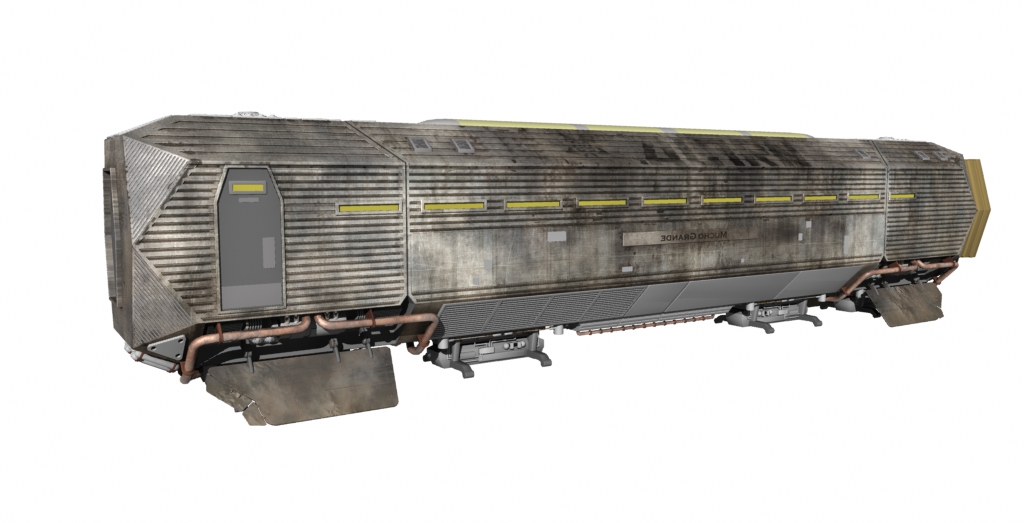
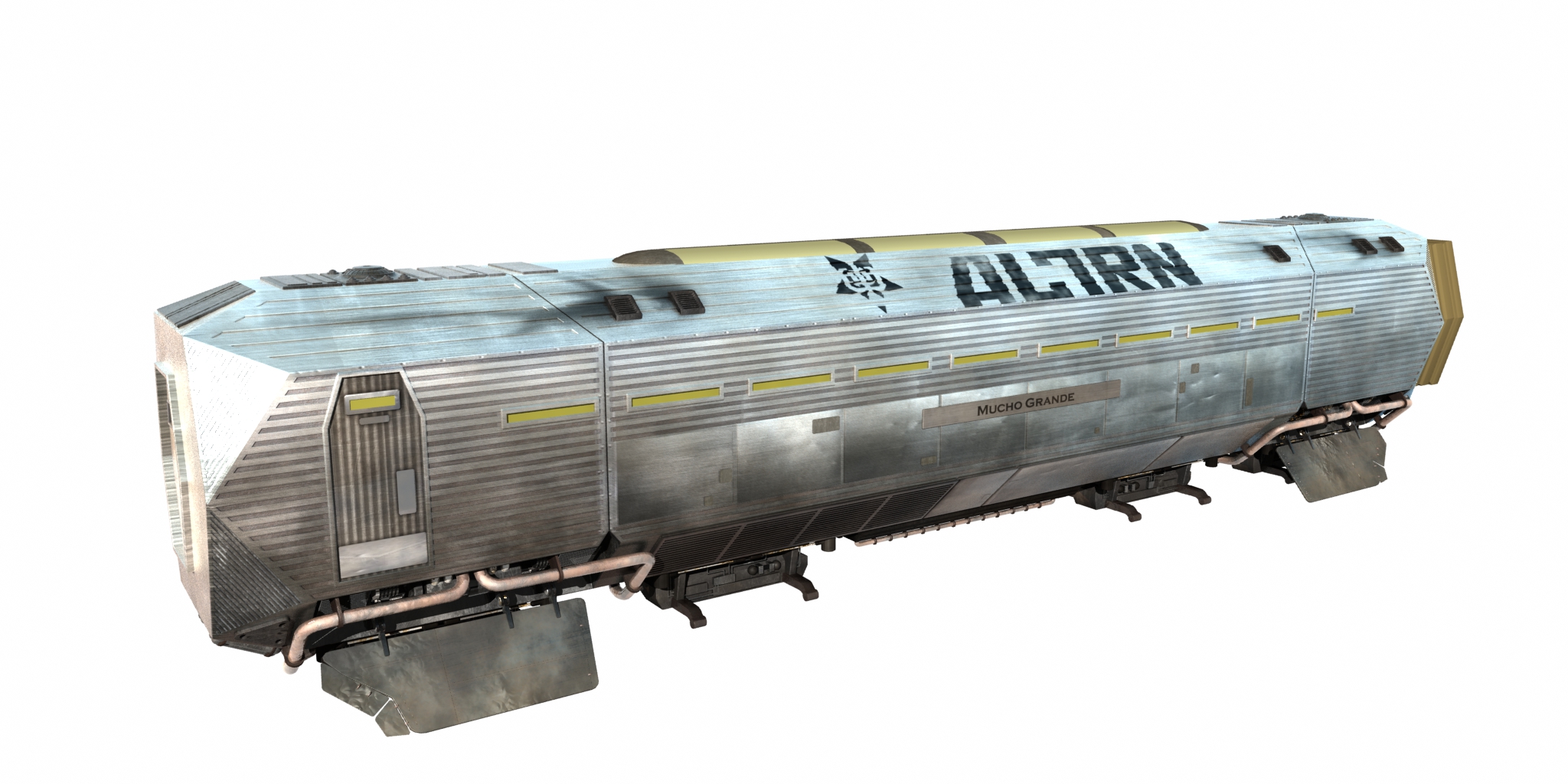
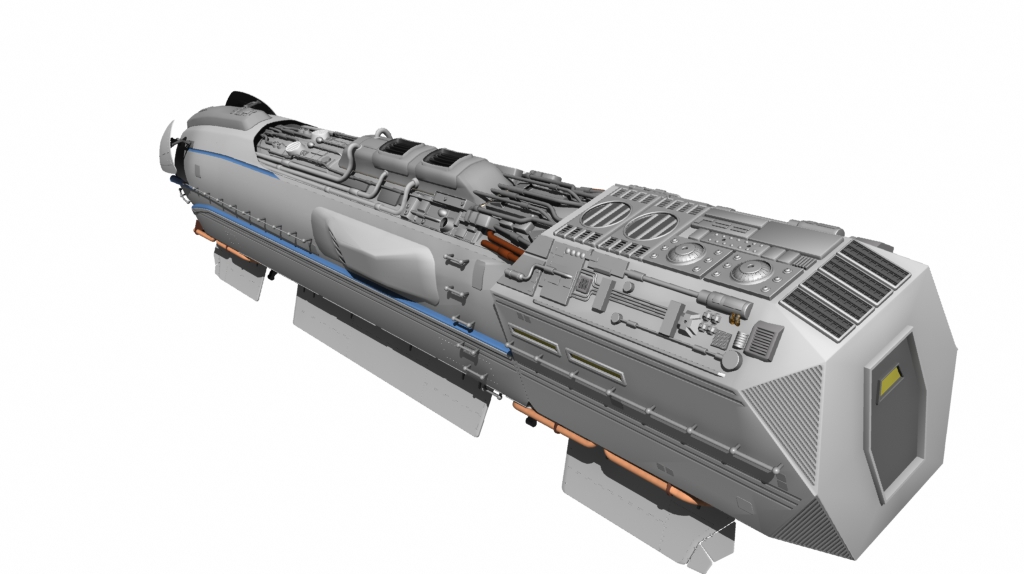
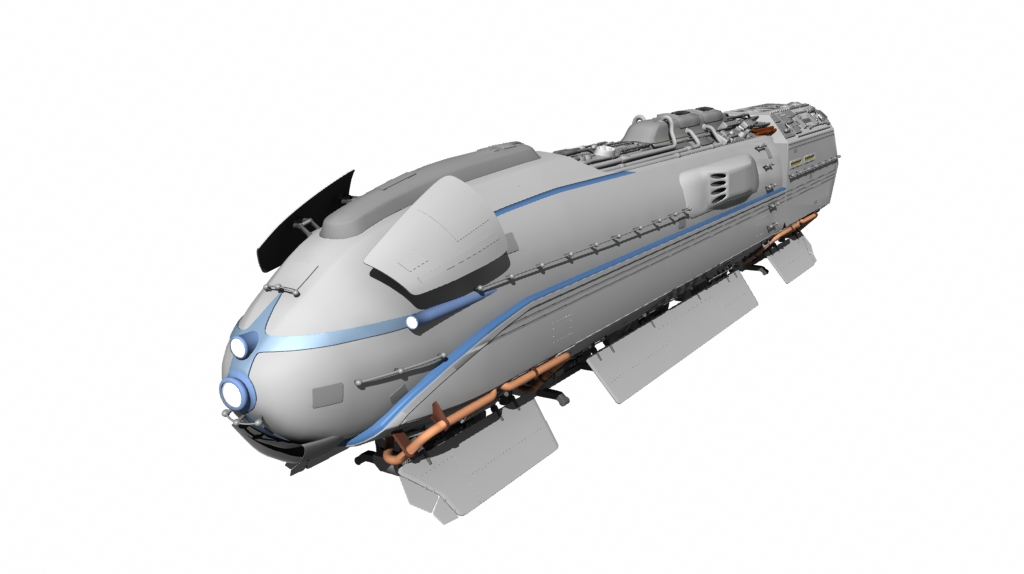
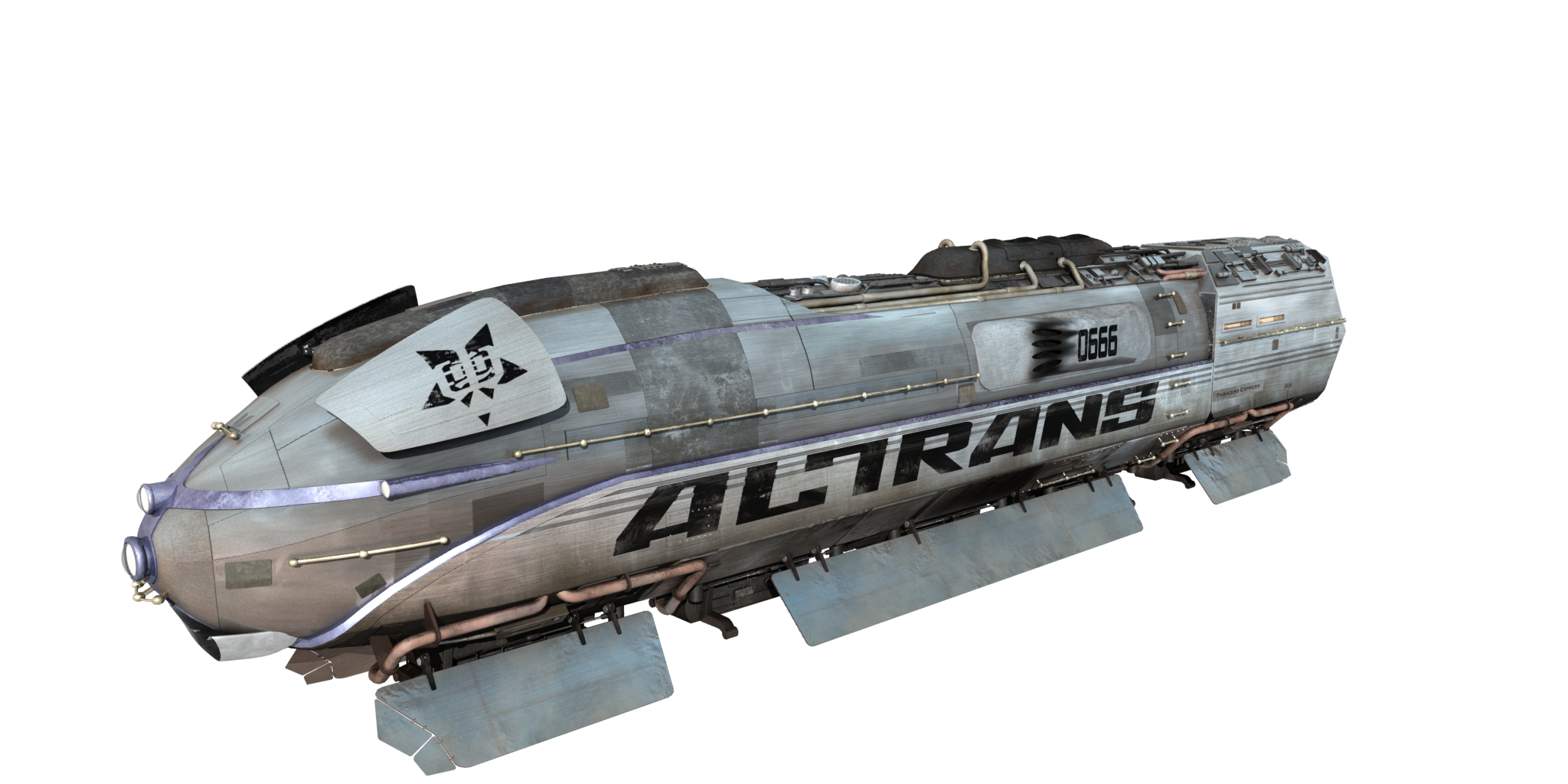
Lastly, here is the first test shot of the train in it's entirity.
All I need now is a decent landscape and some utility poles....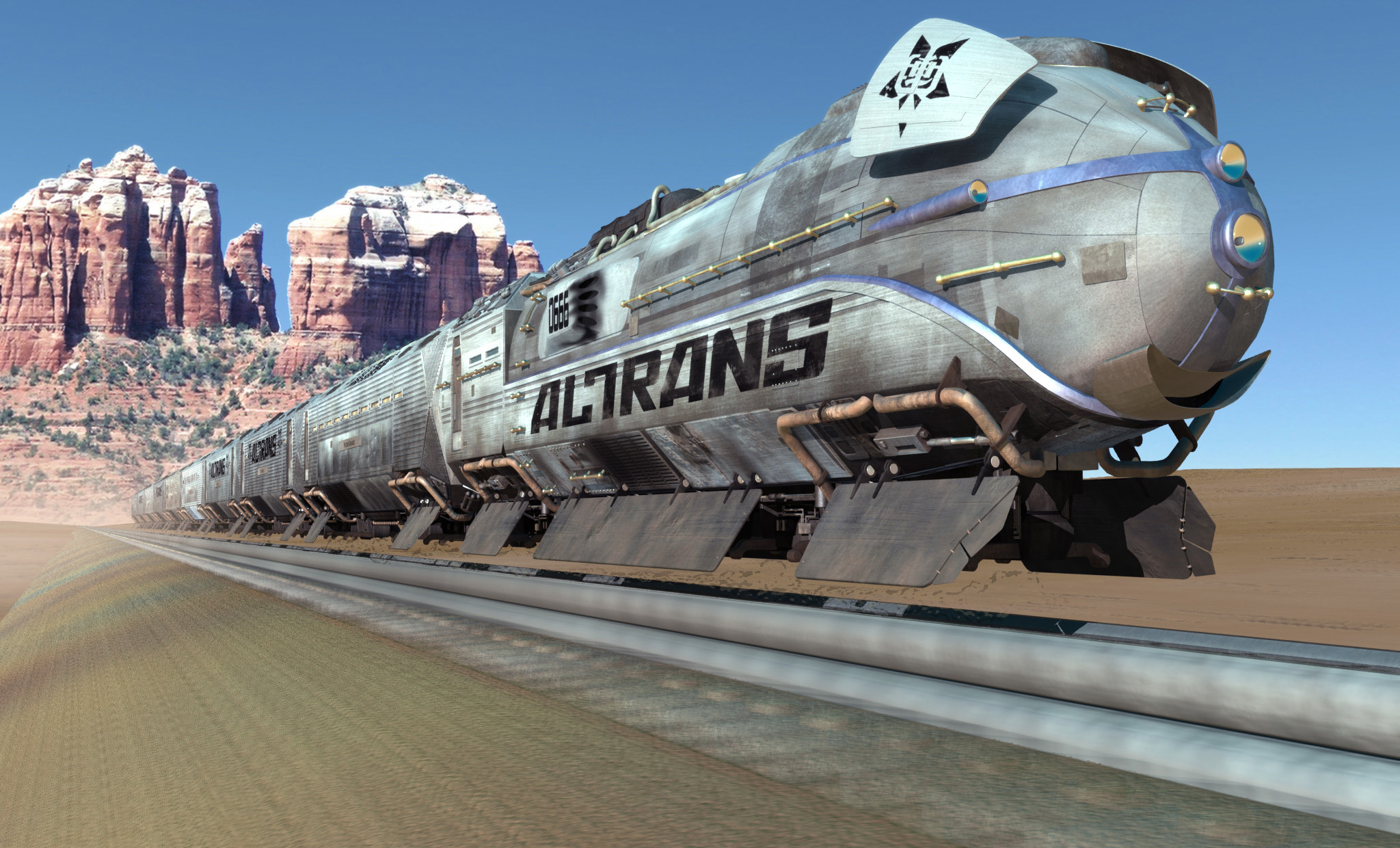
NOTIFY: Y | REPLY | REPLY WITH QUOTE | PERMALINK | TOP | HOME

Are these your pics or Stringer's?
------------------------
I pray for one last landing,
on the globe that gave me birth.
Let me rest my eyes on the fleecy skies
and the cool, green hills of Earth.
http://www.blogiversity.org/blogs/dmi/default.aspx
NOTIFY: Y | REPLY | REPLY WITH QUOTE | PERMALINK | TOP | HOME

Whoa Howdy ! SHINY !
Thanks for the post...MORE , Please !
NOTIFY: Y | REPLY | REPLY WITH QUOTE | PERMALINK | TOP | HOME

Incredible work! I absolutely love then with all the grime and dirt on them!
You must have worked extremely hard on those. Well done.
NOTIFY: Y | REPLY | REPLY WITH QUOTE | PERMALINK | TOP | HOME
Thanks Everyone!
Quote:
Originally posted by DMI:
Are these your pics or Stringer's?
These pictures are of the 3D mesh I built.
I used Lee's images as a starting point.
Treybor: (tray-bOr)n - That dude who ceated the Serenity Modeling Tutorial http://www.foundation3d.com/index.php?categoryid=38&p13_sectionid=375
NOTIFY: Y | REPLY | REPLY WITH QUOTE | PERMALINK | TOP | HOME

What did you model those in?
"Always be yourself. Unless You suck." - Joss Whedon
NOTIFY: Y | REPLY | REPLY WITH QUOTE | PERMALINK | TOP | HOME

Quote:
Originally posted by micjwelch:
What did you model those in?
"Always be yourself. Unless You suck." - Joss Whedon
Ditto.
Also, is the interior modelled as well? Or is the model small enough to make that difficult?
----
I am on The Original List (twice). We are The Forsaken and we aim to burn!
"We don't fear the reaper"
NOTIFY: Y | REPLY | REPLY WITH QUOTE | PERMALINK | TOP | HOME
These images and the 3D mesh were created in a program called Lightwave. The same program ZOIC used for the visual effects on the Firefly TV show.
It is not a physical model, but I could eaisly convert it to an STL and create a rapid prototype model of it.
The interior is not modeled, but could be done quite easily. Adding passengers would be difficult. :-)
The only issue I face right now is that the textures are so large it makes the images take a long time to render; even on my high end desktop system.
NOTIFY: Y | REPLY | REPLY WITH QUOTE | PERMALINK | TOP | HOME
Quote:
Originally posted by Treybor:
These images and the 3D mesh were created in a program called Lightwave. The same program ZOIC used for the visual effects on the Firefly TV show.
Just checked out the cost... pretty expensive. Is your copy from work/school/whatever?
Quote:
Originally posted by Treybor:
It is not a physical model, but I could eaisly convert it to an STL and create a rapid prototype model of it.
The interior is not modeled, but could be done quite easily. Adding passengers would be difficult. :-)
Cool. Just asking because it'd be nice to have a repository of models like these for use in projects.
Quote:
Originally posted by Treybor:
The only issue I face right now is that the textures are so large it makes the images take a long time to render; even on my high end desktop system.
I only know Blender, but Lightwave must have something equivalent to materials. Then a shader or something else could be applied. Perhaps that might speed things up?
----
I am on The Original List (twice). We are The Forsaken and we aim to burn!
"We don't fear the reaper"
NOTIFY: Y | REPLY | REPLY WITH QUOTE | PERMALINK | TOP | HOME
Quote:
Originally posted by SigmaNunki:
Just checked out the cost... pretty expensive. Is your copy from work/school/whatever?
I have one copy purchased at full price, and one copy I got at teacher price since I'm doing online tutorials training people how to use lightwave.
(shameless self promotion below)
Building Serenity in Lightwave:
http://www.foundation3d.com/forums/showthread.php?t=1281
Modelling
Part 1 The Reactor
Part 2 Reactor Details
Part 3 Reactor Detailing
Part 4 Reaction Control Tower
Part 5 Secondary Rocket Thrusters
Part 6(a) Piping and Regulators
Part 6(b) Piping and Regulators (continued)
Part 7 Building the Reactor Leg Main Structure
Part 8 Building the Reactor Leg Details
Part 9 The Gravity Ring
Part 10(a), 10(b) Wing Engines
Part 11 Wing Structures and Pistions
Part 12 Building the Mid-Section
Part 13 Building the Neck
Part 14 Building the Head
Part 15 Asymmetrical Details
Part 16 Exterior Cargo Hold and Hatches
Part 17 Building the Cockpit
Part 18 Building the Mess Hall/Galley
Part 19 Cargo Hold Interior
Part 20 Shuttle and Shuttle Bay Details
Part 21 Building the Landing Legs
Texturing
Part 22(a), 22(b) Texturing Parts 1 and 2
Part 23 Texturing the Reactor Legs
Part 24 The Fusion Reactor Drive
Part 25 Texturing the Wings and Engines
Part 26 Texturing the Shuttle
Part 27 Texturing the Cargo Hold Exterior
Part 28 Texturing the Head and Shuttle Bays
Lighting and Animating
Part 29 Lighting and Animation Rig
Part 30 Building an Animation Rig Part 1
Part 31 Landing Gear Rig
Part 32 Rigging the Engines
Part 33 Rigging the Shuttle
Part 34 Creating a Set-up File
ALL LESSONS IN PDF FORMAT! :D
Serenity Tutorial Extra Resources
http://www.foundation3d.com/forums/showthread.php?t=1122
Subpatch Human Modeling Tutorial:
(in progress)
http://www.foundation3d.com/forums/showthread.php?t=3445
Quote:
Originally posted by SigmaNunki:
Cool. Just asking because it'd be nice to have a repository of models like these for use in projects.
I only know Blender, but Lightwave must have something equivalent to materials. Then a shader or something else could be applied. Perhaps that might speed things up?
Blender/MAX "Materials" = Lightwave "Surfaces"
Surfaces in lightwave consist of Images, procedural textures, nodes, and shaders.
The train uses all of these. It takes a long time to render because the texture images are 4096x4096, the models have fairly high polygon counts, and there are a lot of reflective surfaces.
Treybor: (tray-bOr)n - That dude who ceated the Serenity Modeling Tutorial http://www.foundation3d.com/index.php?categoryid=38&p13_sectionid=375
NOTIFY: Y | REPLY | REPLY WITH QUOTE | PERMALINK | TOP | HOME