

The old, full, image posting tutorial thread.
POSTED BY: Penguin
UPDATED: Friday, October 19, 2007 13:29
VIEWED: 28257
PAGE 1 of 11

Images
First of all, the image must be somewhere on the net. Many people use Photobucket ( http://photobucket.com/). The image must be in a format the site can read. I know that .png images will not work. If the image is in a .png format, you can use an image manipulation program (MS Paint, Photoshop, etc.) to change the image to a .gif or .jpg format.
Images can be taken from existing websites. You may need to save the image to your computer and upload it somewhere on the web because some webmasters don’t allow hotlinking (direct linking to images) or the website may be changed and your image may disappear.
Getting Images From The Web
Let’s post the picture of Joss from the FireFoxFans.net home page.

In Firefox, Right-click on the image, go to “Copy Image Location” and click. This puts the address of the image in your clipboard. 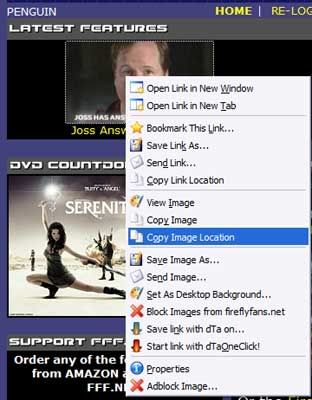

In Internet Explorer, right-click on the image and take your curser to “Properties” and left-click. 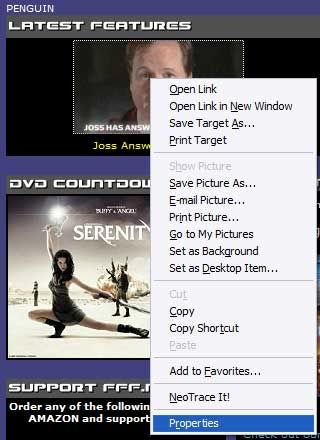
A “Properties” box will pop up.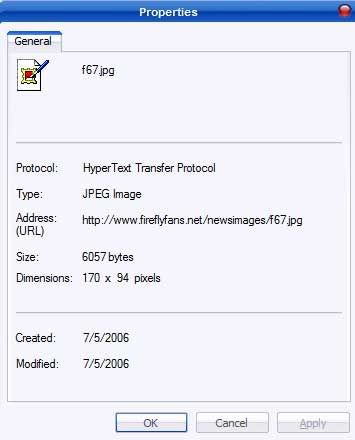
With your curser, highlight the Address: (URL) and right-click (or right click on the address and go to Select All).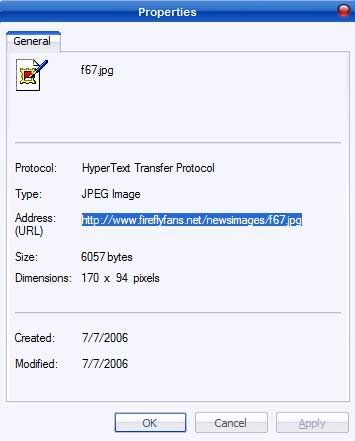
Take the curser to “Copy” and left-click. 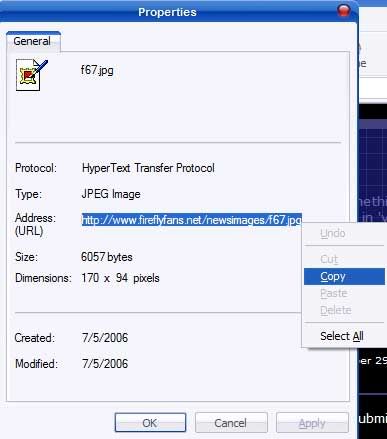
This puts the address of the image in your clipboard.
Posting the Image
Now that you have the image address, go to the thread where you want to place the image. Right-click inside the “Your Response” box. A pop-up box will appear. 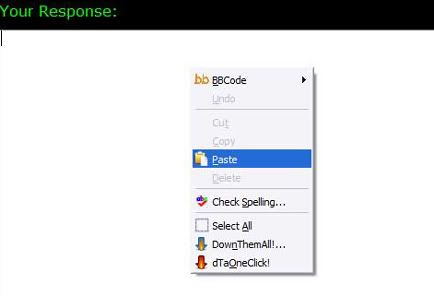
Take the curser down to “Paste,” left-click, and the image address should appear.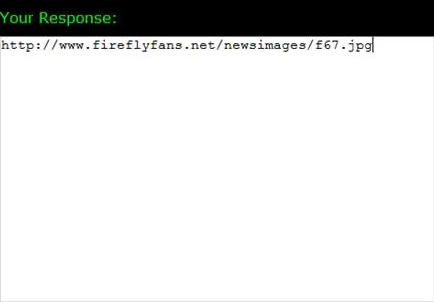
A note…this method only works at Fireflyfans.net. On most web sites, the use of “image tags” is required.
Posting an Image From Photobucket
Note...Photobucket has recently changed so all you need to do is left click the URL LINK you want and the link will be copied to your clipboard. Then follow the instructions in Posting the Image.
If you have a Photobucket account (or are “borrowing” an image), go to the image.
Left-click on the “Url” address to highlight…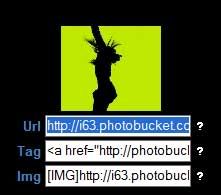
Right-click to bring up the pop-up box and left-click on copy.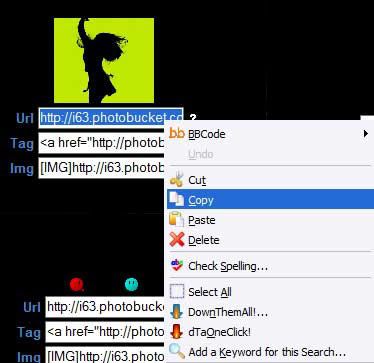
Then follow the instructions in Posting the Image.
Avatars
Recently a couple of our members discovered a way to allow us to have our own avatars!
Avatar images are different from other images you can post on FFF.net because they require the use of image tags. Image tags are characters around the image link that allow the image to be seen.
The image tags that are needed for avatars are  before the image link (no spaces) and
  after the image link (again, no spaces).
Posting the Avatar
Go to “MY FIREFLY” and then to “EDIT PROFILE” under “MEMBER OPTIONS.” In the “Tag:” box, enter the image link with the image tag. You can also add text.
You also need to choose the “None” option under the “Avatar” section. The original avatar you chose may still show up until you clear your browser cache.
NOTIFY: N | REPLY | REPLY WITH QUOTE | PERMALINK | TOP | HOME

Excellent tutorial! Kudos to the Pen-guin (sorry I was channeling Pauly Shore there for a minuto).
I think this will be great for those that are a little "less than comfortable" with all things techie!
PENGUIN! PENGUIN! He's our guy! If he can't do it, I won't even try!
NOTIFY: Y | REPLY | REPLY WITH QUOTE | PERMALINK | TOP | HOME
It's hard putting into words things that I do as second nature...Hopefully it helps!
NOTIFY: N | REPLY | REPLY WITH QUOTE | PERMALINK | TOP | HOME

Some of you're tags example tags are disappearing, try surrounding the brackets in open close brackets and it should appear properly
[[]img[]] ( [[][[][]] [[][]][]] )
More insane ramblings by the people who brought you beeeer milkshakes!
No one can see their reflection in running water. It is only in still water that we can see.

NOTIFY: Y | REPLY | REPLY WITH QUOTE | PERMALINK | TOP | HOME
Quote:
Originally posted by citizen:
Some of you're tags example tags are disappearing, try surrounding the brackets in open close brackets and it should appear properly
[[]img[]] ( [[][[][]] [[][]][]] )
I removed it...no sense confusing anyone!
NOTIFY: N | REPLY | REPLY WITH QUOTE | PERMALINK | TOP | HOME
Penguin- Thanks so very much...that was fantastic!! Wow you should write computer manuals. That was concise, easy to follow, and perfectly detailed. I am a computer doofus and I can follow that easily!
I choose to rise instead of fall- U2
NOTIFY: Y | REPLY | REPLY WITH QUOTE | PERMALINK | TOP | HOME

http://www.fireflyfans.net/showblog.asp?b=1201
[img] [/img]
NOTIFY: N | REPLY | REPLY WITH QUOTE | PERMALINK | TOP | HOME

Let's see if I did it right
NOTIFY: Y | REPLY | REPLY WITH QUOTE | PERMALINK | TOP | HOME

Thank you, Penguin! I never would have gotten photos posted without this tutorial.
"Live as if you were to die tomorrow. Learn as if you were to live forever." -- Mohandas Gandhi
NOTIFY: Y | REPLY | REPLY WITH QUOTE | PERMALINK | TOP | HOME
my turn!
http://www.albinoblacksheep.com/flash/llama.php
-try it out, I dare you
98% of teens have smoked pot, if you are one of the 2% that haven't, copy this into your signature
I'm so into Firefly, my butt glows in the dark.
NOTIFY: Y | REPLY | REPLY WITH QUOTE | PERMALINK | TOP | HOME