

In the garden, and RAIN!!! (2)
POSTED BY: SIGNYM
UPDATED: Monday, September 7, 2026 11:50
VIEWED: 338648
PAGE 792 of 834

Not having a good afternoon evening anyways. My trip maybe cancelled because of WestJet and its flight attendants can't reach an agreement. I put a cut ear of corn into air fryer and had it on at a wrong temperature. Burned it a little but at least I didn't make popcorn. Then this happened. Ugh!
NOTIFY: Y | REPLY | REPLY WITH QUOTE | PERMALINK | TOP | HOME
Quote:
Originally posted by Brenda:
I'm still here and still stuck. Will go back and read what you said. I've written down what you said. I wish I knew what I did. I know my hands have been shaking. Both of them and I know this has nothing to do with anything but I brought up a menu about sticky keys. That came up because my pinky on left hand was shaking on a letter key.
I'm not sure what you did, Brenda, and without seeing a screenshot of it I don't think I'd be able to figure it out. I can tell you that you most likely did a "Hotkey" function of some sort. As in you were possibly holding down the CTRL or ALT keys, or possibly SHIFT and then you accidentally pressed another key while one or several of those were held down, and Windows automatically did the thing it's supposed to do when you hit that key combination. But since I don't know what you did or what you're looking at right now, the best thing to do is just restart the computer one way or another.
Honestly, if nothing else works you can just hold down the power button until your computer shuts off and then start it up again and it should work.
I just don't like recommending that because Windows really doesn't like that, and I can't remember which version of Windows you're using.
Chances are very, very good that it would boot right back up and everything would be fine, but it might force a disk check that would take a while if you have anything before Windows 10. I'm sure you've lost power before and your computer was on and it ended up being okay. Powering the machine down wouldn't be worse than a power outage.
But try my notes above first. It's just press CTRL , ALT and DEL all at the same time to get that menu, then either log out and log back in, or find the power button so you can get the menu to allow you to restart the computer the right way and it should all come back up fine.
--------------------------------------------------
Those who dance always seem crazy to those who can't hear the music.
NOTIFY: Y | REPLY | REPLY WITH QUOTE | PERMALINK | TOP | HOME
Quote:
Originally posted by 6ixStringJack:Quote:
Originally posted by Brenda:
I'm still here and still stuck. Will go back and read what you said. I've written down what you said. I wish I knew what I did. I know my hands have been shaking. Both of them and I know this has nothing to do with anything but I brought up a menu about sticky keys. That came up because my pinky on left hand was shaking on a letter key.
Honestly, if nothing else works you can just hold down the power button until your computer shuts off and then start it up again and it should work.
I just don't like recommending that because Windows really doesn't like that, and I can't remember which version of Windows you're using.
Chances are very, very good that it would boot right back up and everything would be fine, but it might force a disk check that would take a while if you have anything before Windows 10. I'm sure you've lost power before and your computer was on and it ended up being okay. Powering the machine down wouldn't be worse than a power outage.
But try my notes above first. It's just press CTRL , ALT and DEL all at the same time to get that menu, then either log out and log back in, or find the power button so you can get the menu to allow you to restart the computer the right way and it should all come back up fine.
--------------------------------------------------
Those who dance always seem crazy to those who can't hear the music.
I'm using Windows 10.
NOTIFY: Y | REPLY | REPLY WITH QUOTE | PERMALINK | TOP | HOME
You should be fine. Just hold the power button down. Give it about 20 seconds. Then press power again.
It should load up fine. It may ask you if you want to perform a "chkdsk" operation on your primary "C:\" drive. If it does, you could press any key within the first 10 seconds to skip it, since it's almost certainly fine.
You've had a power outage with that computer before, I'm sure. Right?
Never had any problems starting it back up, did you?
This isn't as bad as your computer getting a power outage jolt as its being powered down incorrectly, and it's still working.
--------------------------------------------------
Those who dance always seem crazy to those who can't hear the music.
NOTIFY: Y | REPLY | REPLY WITH QUOTE | PERMALINK | TOP | HOME
Yeah. I just had another power outage on 3 computers. About the 6th one in 2 months, probably. Except for a few issues I had on one of the computers running Windows 11 that I had to fix and babysit until it came back up, everything else came up fine every time. None of the Windows 10 installations gave me problems.
--------------------------------------------------
Those who dance always seem crazy to those who can't hear the music.
NOTIFY: Y | REPLY | REPLY WITH QUOTE | PERMALINK | TOP | HOME
Quote:
Originally posted by 6ixStringJack:
I still have my gay chef that my sister-in-law and brother bought me while they were out antiquing. I also have a cool wood piece that was beveled nicely on the ends and had all 3 of the gay chefs painted on it from them too. I know it's packed away in the attic in one of those boxes, so I'm bound to find it soon. I'm going to have to find a home in the kitchen for that too.
They really loved that kitchen. Not that they'd EVER think of doing that in their house, but they loved that somebody else had it.
Yanno what... I'm going to go back in time and see if I can find a shot before I pulled any of that Chef border down and repainted the walls. I'm sure I have a similar before shot of the kitchen to the one I just posted.
Got it...
WOW. I can't believe the filth I lived in for so many years before I got serious and knocked that kitchen out.
I almost throw up a little in my mouth just looking at what it looked like when I moved in. Especially seeing that can of Icehouse sitting on the left side of the sink.
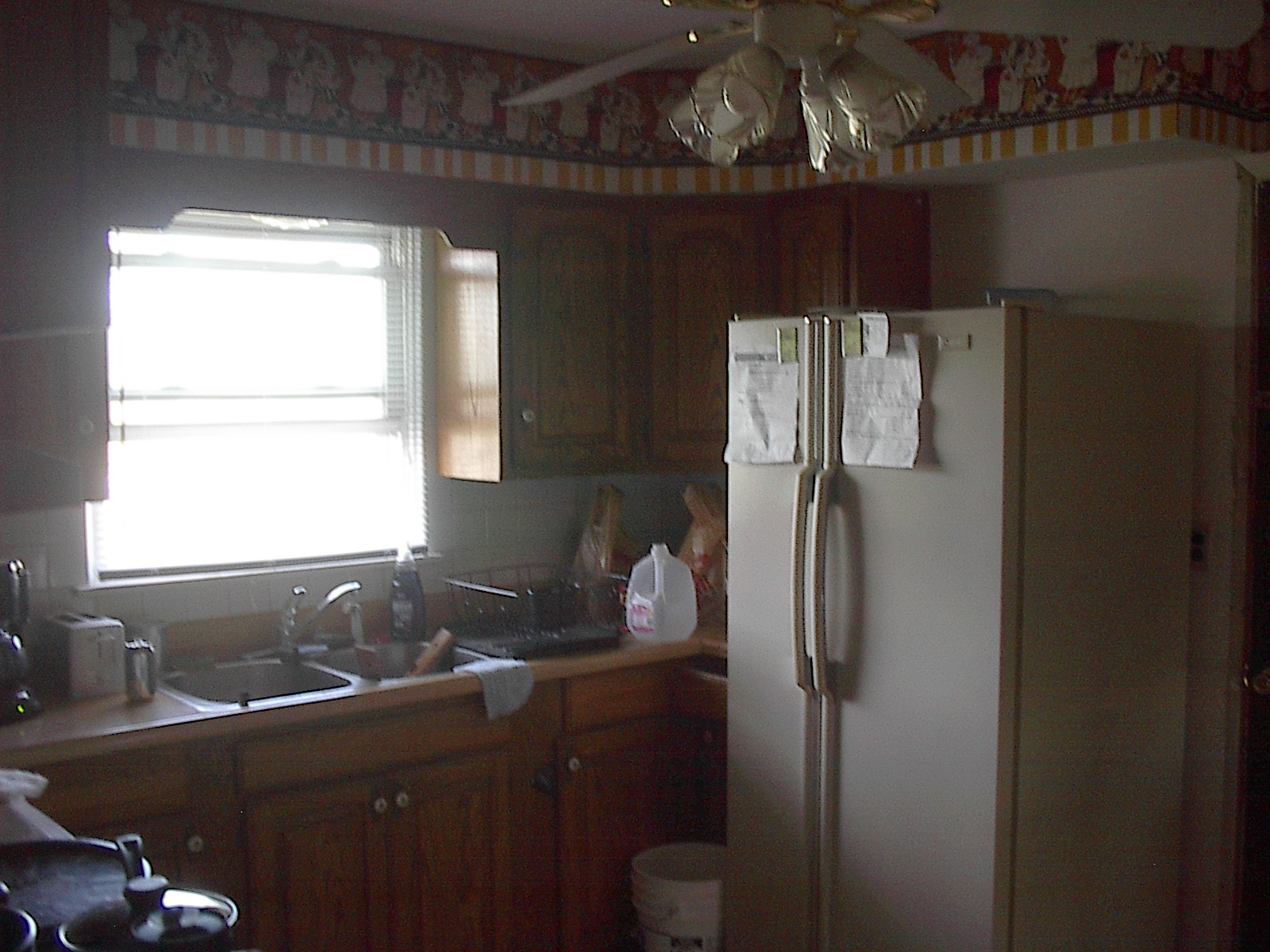
And the wrought iron overlook, and that gross and peeling chessboard floor.
YUCK!
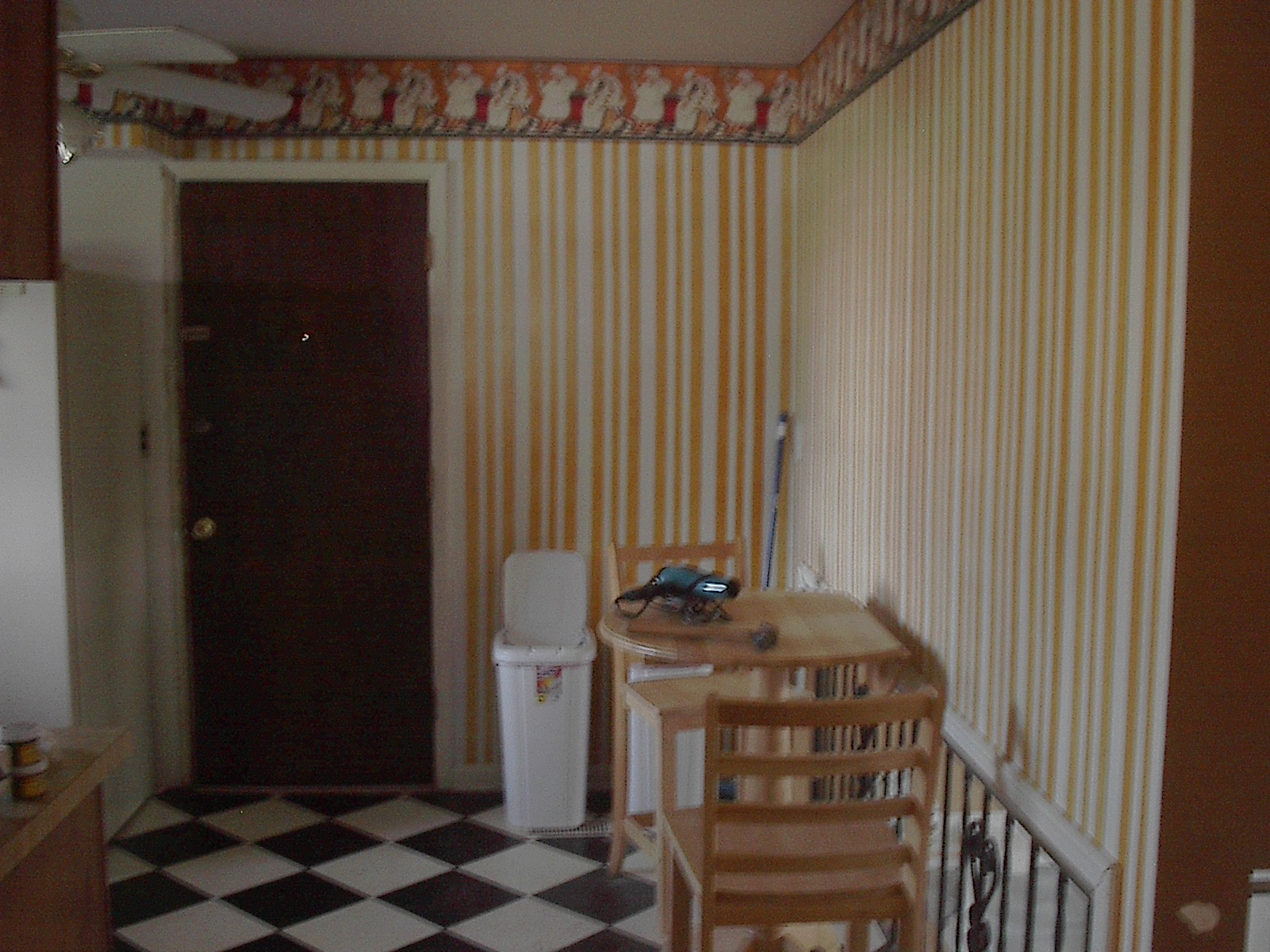
And what it looks like now.

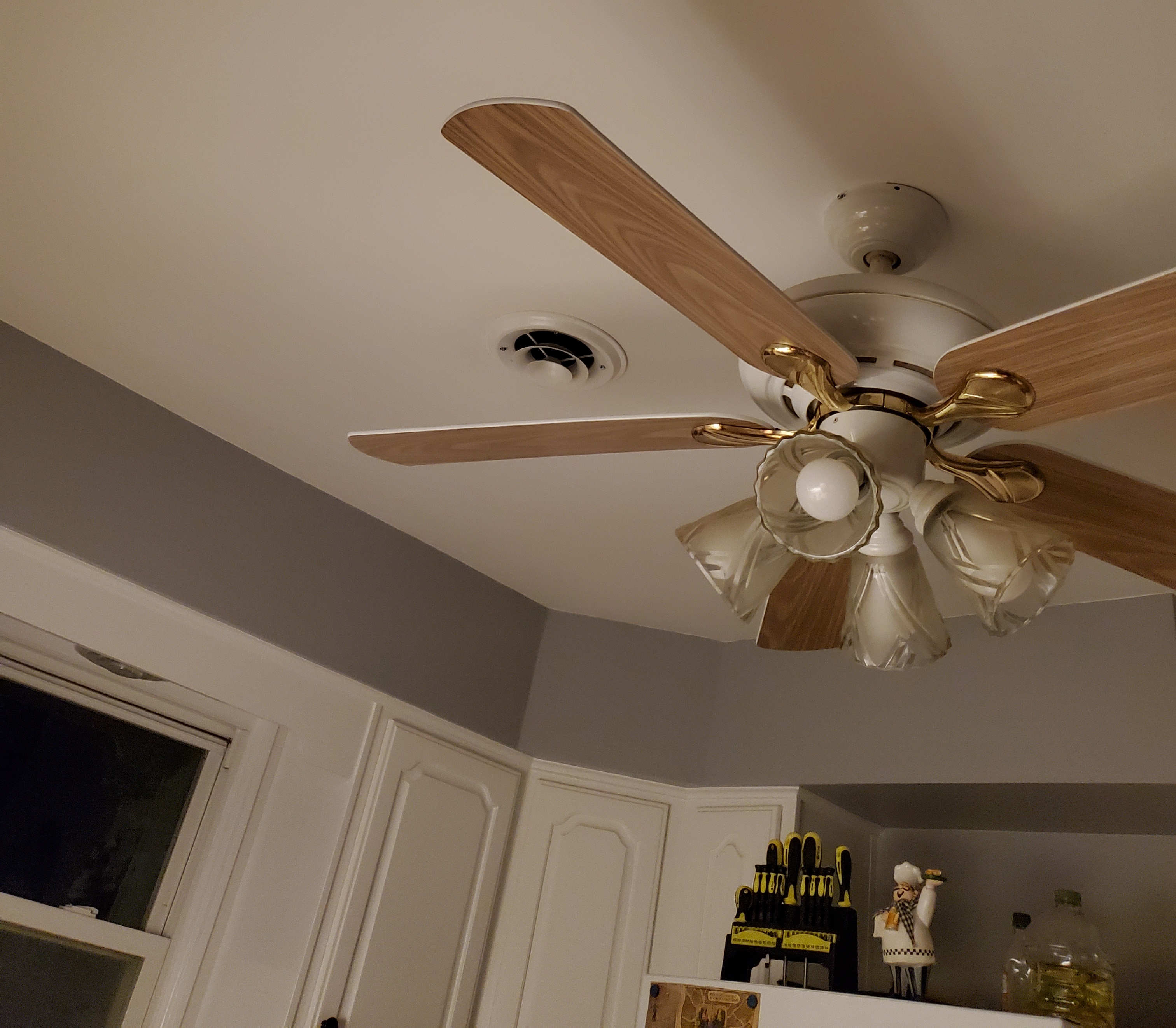
It's pitch black at night when this photo was taken, and the room is that bright from the single light under the stove hood. If that room were still dark stained wood and crazy chef colors, that would suck up so much of that light I probably would have had to turn the fan lights on to even snap a picture you could see.
When I find that picture of the gay chefs in the attic, I'll be sure to snap it. It's a picture of all 3 chefs that I think is exactly the same pose on the right side of this wallpaper banner.


And since I showed the vents in the living room, these were the closest pics I could find before I started doing work in there.

Yup... Another room where the windows were just plastered right in and given the weakest little windowsill you've ever seen.
But because I didn't want to make a new large sill from scratch like I did for all the windows in the 2nd floor bedrooms, I just fabricated 4 blocks, 2 for either side of the small and big window. I cut them to the exact sizes I needed them, then I probably spent about half a day running back and forth to my work bench in the garage to use my belt sander to shape them to match the end of the windowsills exactly.
Once they were perfect, I CAREFULLY made counter-sink holes from the sides of them and put some beefy wood screws into the sill and used wood putty to make it all look like one piece before covering up the painted plaster with proper wooden jambs and a nice wide frame.
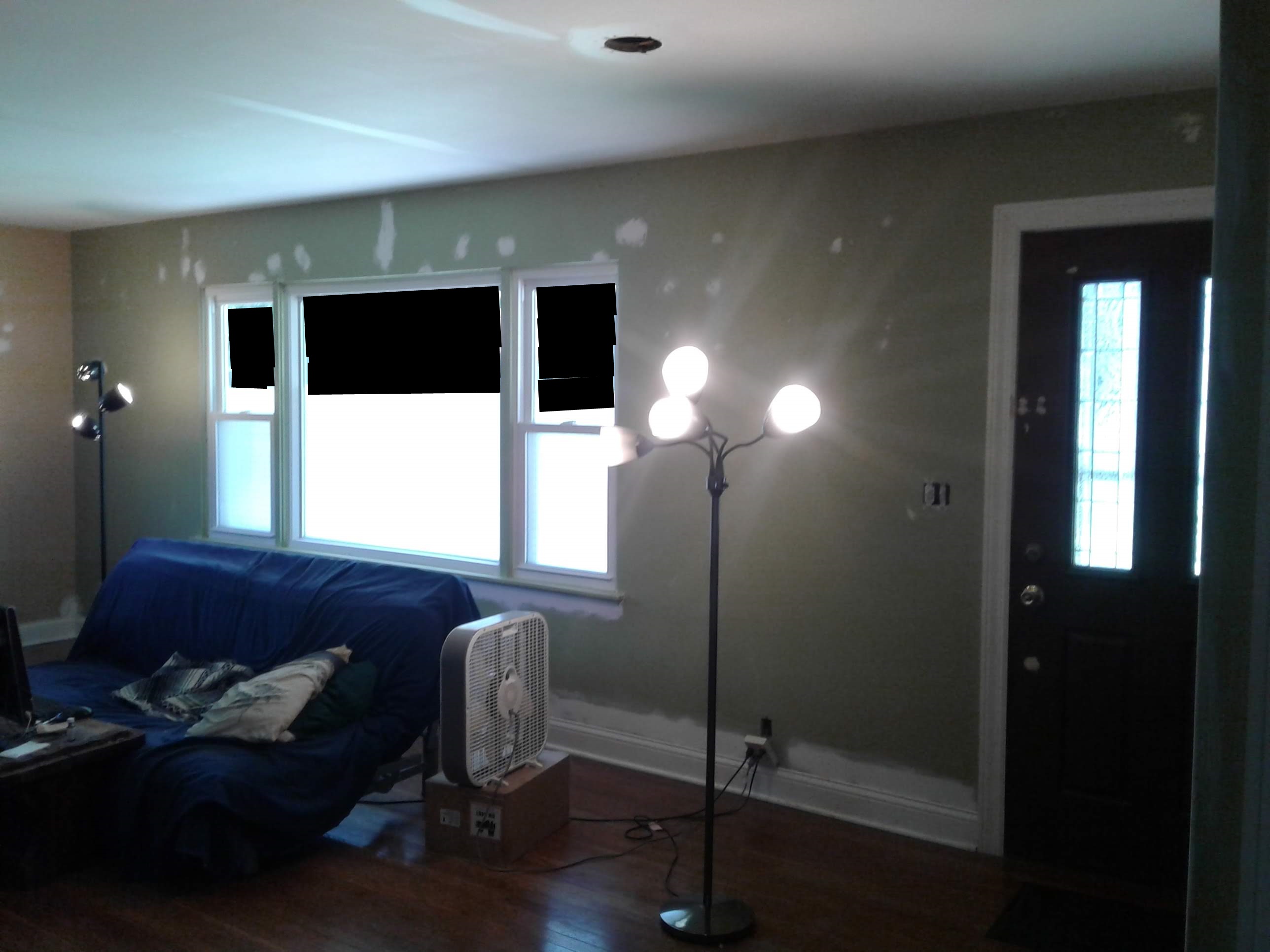
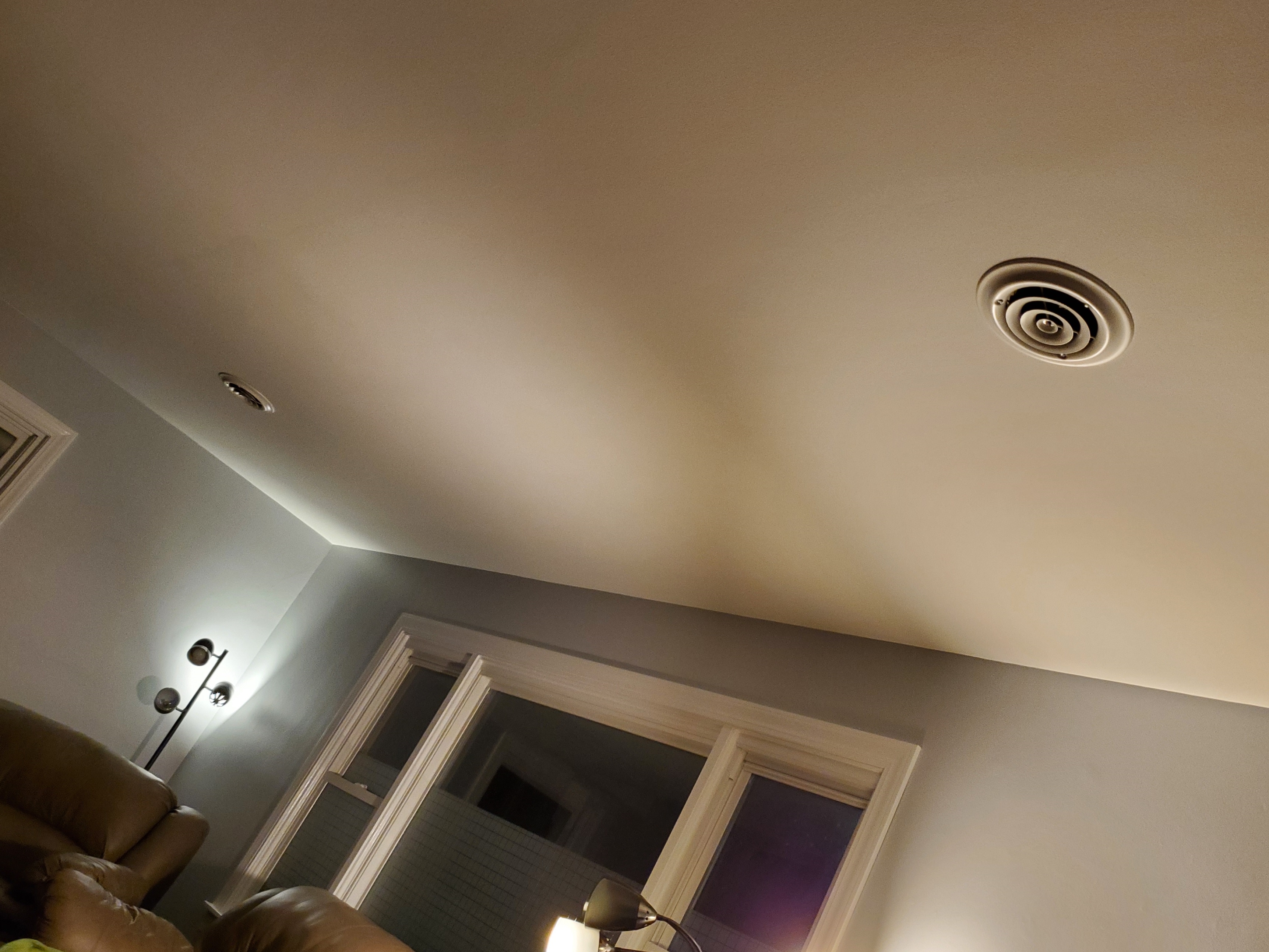
Oh... and those leather pieces in there now are the real deal. They were my buddy's basement furniture we used to lounge on while watching movies before we put the pool table in the basement and there wasn't room for them anymore. I got those, and his fireplace heater that's like $500 or $600 new (and that's the one out in the porch with the TV on it).
That leather was never treated right, and I thought I'd never fix the place where he had his greasy hair on the back of the single seat recliner, but the leather cream I got on Amazon was amazing. I can't remember the first step, but I do believe that I washed it down and scrubbed the hell out of certain parts like that with water and baking soda, if memory serves. Only after that was done and wiped off completely did you start applying the cream. 2 coats, each with a buff-out, and aside from a few spots on the sides where there are some very minor tears, they look brand new. I should give them just one more coat soon just t
NOTIFY: Y | REPLY | REPLY WITH QUOTE | PERMALINK | TOP | HOME
How we doing, Brenda?
I was hoping to hear back from you before I finished my photo update.
--------------------------------------------------
Those who dance always seem crazy to those who can't hear the music.
NOTIFY: Y | REPLY | REPLY WITH QUOTE | PERMALINK | TOP | HOME
Okay Brenda...
Now I'm worried that a power down restart brought you right back to the same problem, but now you might not even be able to get on your browser and that's why you haven't gotten back to me yet.
Oh geez... I didn't even think of that possibility.
I'm sorry if that is what is happening.
If there's any possible way that you are able to read a post here but you just can't reply for some reason, please try the following because I think you may have turned on the "Magnifier Tool" on accident. If that is what happened...
HERE IS THE FIX:
Press and hold the "Windows Logo Key" (the key with the 4 squares on the bottom, to the left of the Space bar) and tap the Esc key (top left corner) at the same time.
If you're in the Magnifier tool now on accident, doing that will make your screen normal again.
***NOTE: If your keyboard is old and you don't have a Windows key, you will instead need to hold the CTRL and the ALT keys to the left of your space bar and then hit the letter "M" and that should get you fixed.
I hope you can see this Brenda!!!
I hope you're not freaking out and you think to go to the Library to see if there was an update before you go to the trouble of packing it up and taking it somewhere.
I'm sorry...
--------------------------------------------------
Those who dance always seem crazy to those who can't hear the music.
NOTIFY: Y | REPLY | REPLY WITH QUOTE | PERMALINK | TOP | HOME
Damn my Old Dog brain...
I should have seen this as a potential problem.
But even if I didn't just say screw it and do a hard restart with the power button and I walked her through a proper restart, it wouldn't have fixed this issue and Brenda still wouldn't be able to reply. If she's in the Magnifier Tool, that's an Accessibility Option and it's persistent between sessions even if you reboot your computer with purpose through the Windows restart.
The ONLY way she can get out of that the Magnifier Tool is if she can read this and knows to Hold Windows Key and Hit ESC, or she has somebody come to her place or takes the computer somewhere to somebody who would know to do that.
And that's even assuming from the limited description she gave of the scenario led me to the correct conclusion. If it's not the Magnifier Tool that was triggered and it's something else, I don't know if Windows Key and ESC will even work.
What an ASININE TRAP.
Are you kidding me? This shouldn't even be a remote possibility that somebody with limited computer knowledge could ever accidentally screw up their settings so bad they can't use the computer even after a restart. Make it a 3-key combination at least M$!
If she's in the magnifier tool, everything is zoomed in 200% and the screen pans to the sides and the top and bottom with the mouse. If she's moving the mouse around quickly and panicking, the screen is just flying around all over the place. The big problem is that the task bar disappears completely, so she can't even scroll down to the bottom and at least see the start button.
WHY WOULD THEY MAKE THAT PERSISTENT BETWEEN SESSIONS????
If it didn't start her right back where she was with her browser open to this page, what benefit is it to anybody with vision issues to restart Windows into this state with no task bar? I don't even get it.
--------------------------------------------------
Those who dance always seem crazy to those who can't hear the music.
NOTIFY: Y | REPLY | REPLY WITH QUOTE | PERMALINK | TOP | HOME
Said in your other thread I am at library. I also talked to two computer places around here and they say do a restart but I am so nervous.
I have the zoom set around 100% but the icons have been looking bigger.
I've been looking at google and asking questions. Dumb I know. It says use windows key + D or control+ shift +esc.
I am very confused right now.
NOTIFY: Y | REPLY | REPLY WITH QUOTE | PERMALINK | TOP | HOME